
Pet Camera with Laser
【 How to View Recorded Videos via Computer? 】
Since the videos recorded on the SD card inside the camera involve personal privacy, the recorded videos are all encrypted to prevent privacy leakage in case the device is stolen or the SD card is lost. A dedicated player is required to play them. Below are the specific operation guidelines.
Access the download link
Get the required installation package by visiting the link or scanning the QR code.

Click “Download”
Get the installation package of DiskPlayer Hard Drive Player to your computer.
Install and Open the Player
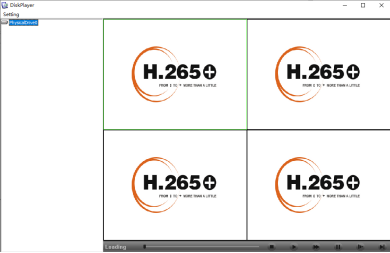
Install the downloaded DiskPlayer tool. Upon opening, you will see a screen layout similar to the representation below:
Insert Card Reader & Play
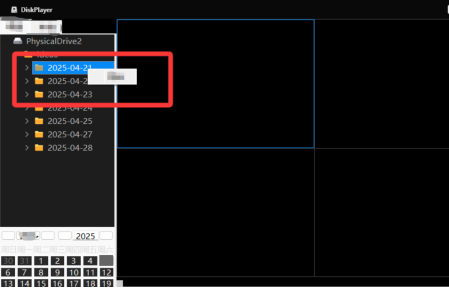
Insert the card reader with your SD card into the computer. Navigate the folder structure inside the application to select and play videos normally.
Above is an introduction to the method of viewing recorded videos via a computer.
Thank you for purchasing and using ASFSKY Pet Monitor. We remain committed to enhancing the quality of life for your pets, and we appreciate your continued attention and support.